

Download 3things – Simple To‑Do Service, Free Online Planner, Daily Reminder Tool
Overview
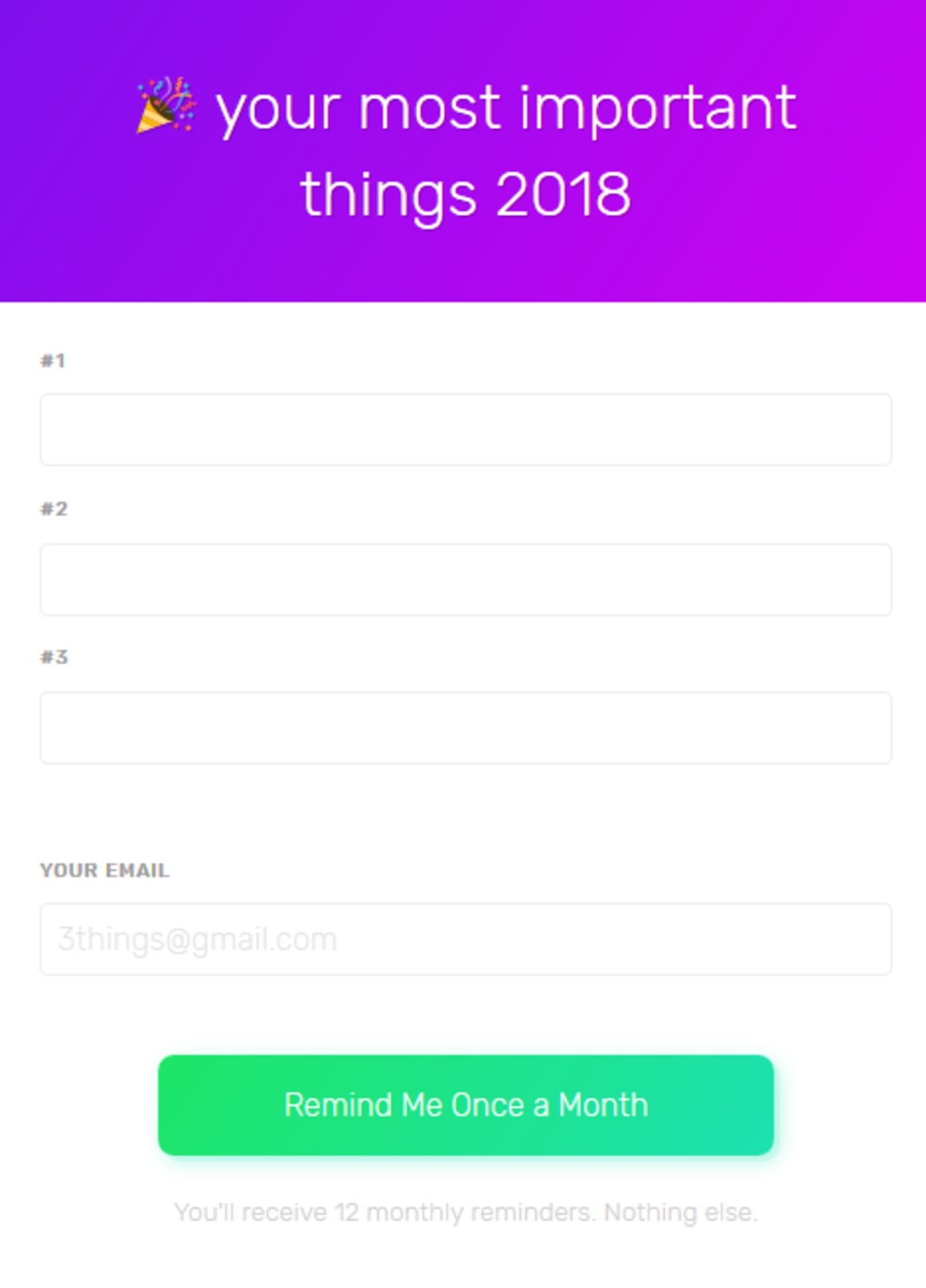
3things is a minimalist, web‑based to‑do application that focuses on what matters most: getting three high‑priority tasks done each day. Unlike feature‑heavy project managers, 3things strips away distractions and presents users with a clean, invitation‑only interface the moment they land on the site. After entering a valid email address, you are greeted by a three‑line list where you can type the most important items you want to accomplish that day.
The service also includes a built‑in monthly reminder that nudges you via email, ensuring that recurring goals never slip through the cracks. Because the design is intentionally plain, there is no need to learn a complex hierarchy of boards, tags, or subtasks—just three items, a deadline, and a gentle nudge. This simplicity makes 3things especially attractive for people who struggle with information overload or who find traditional task managers too cumbersome.
The platform is completely free, requires no installation, and works on any modern browser, making it an ideal companion for students, freelancers, and busy professionals alike. Whether you need a quick way to capture your top three priorities or you want a lightweight reminder system that syncs with your inbox, 3things delivers a secure, no‑frills experience that keeps you focused on the essentials.
Key Features & Benefits
- Three‑Item Focus: Limit yourself to three daily tasks, which encourages prioritisation and reduces decision fatigue.
- Instant Email Invitation: Enter your email and receive a secure link that instantly opens your personal to‑do board.
- Monthly Reminder System: Set recurring monthly reminders that are automatically emailed, helping you maintain long‑term habits.
- Zero‑Installation, Cloud‑Based: Access your list from any device with a browser—no downloads, no updates, no local storage.
- Privacy‑First Design: 3things stores only the minimal data required to send reminders, and all communications are encrypted via HTTPS.
- Responsive Layout: The interface adapts fluidly to desktop, tablet, and mobile screens, ensuring a consistent experience across platforms.
- Simple Completion Workflow: Mark a task as done with a single click, instantly freeing up a slot for a new priority.
The benefits of such a focused tool extend beyond mere task tracking. By limiting you to three items, 3things encourages a daily habit of triage—identifying what truly moves the needle and discarding the noise. The monthly reminder feature turns sporadic goals into repeatable actions, which is especially valuable for habits like “pay bills,” “review budget,” or “schedule a health check‑up.” Because the service is cloud‑based, you never have to worry about syncing data between devices; the latest version of your list is always available the moment you log in.
The privacy‑first approach means you can trust that your personal agenda isn’t being harvested for marketing, a common concern with many free productivity apps. Finally, the clean UI reduces visual clutter, allowing you to focus on the content of your tasks rather than on navigating menus or customizing themes. All of these aspects combine to make 3things a powerful, low‑maintenance ally in the quest for daily productivity.
Installation, Usage & Compatibility
Getting started with 3things is deliberately straightforward. Since it is a web‑based service, there is no traditional installation process. Simply open your preferred browser, navigate to 3things.io, and you will be prompted to enter an email address.
After submitting, you receive a secure link in your inbox; clicking that link opens your personal three‑item board. Because the application runs entirely in the browser, it is compatible with all major operating systems, including Windows, macOS, Linux, Android, and iOS. The only technical requirement is a modern browser that supports HTML5 and CSS3—Chrome, Firefox, Edge, Safari, and most mobile browsers meet this criterion.
Once inside the application, you add tasks by typing directly into the three visible lines. Each entry can be marked as complete with a check‑box, which instantly clears the line and makes room for a new priority. To enable the monthly reminder, click the “Set Reminder” button beneath the list, choose a date, and confirm. The system will then send you an email reminder on the selected day of each month, containing a direct link back to your board. If you ever need to change your email address or delete your account, the settings menu—accessible via the gear icon in the top‑right corner—provides clear options.
Because 3things is platform‑agnostic, you can switch between a desktop at work, a tablet at the coffee shop, and a phone on the go without any loss of data or functionality. The responsive design ensures that the three‑item interface remains legible on a 13‑inch laptop screen as well as on a 5‑inch smartphone display. Moreover, the service uses HTTPS encryption for all data transmission, guaranteeing that your task list and email address remain secure regardless of the network you are on—whether it’s a corporate Wi‑Fi, a public hotspot, or a cellular connection.
For users who prefer a more structured workflow, the “Add New Task” button appears once a line is cleared, allowing you to instantly replace a completed item with a fresh priority. The simplicity of the workflow eliminates the learning curve associated with larger project‑management suites, meaning you can begin tracking your most important tasks within seconds of receiving the invitation email. In short, 3things offers a frictionless onboarding experience, broad compatibility, and a usage model that aligns perfectly with the modern, multi‑device lifestyle.
Pros, Cons, FAQ & Conclusion
Pros
- Ultra‑simple interface that eliminates overwhelm.
- Free to use with no hidden fees or premium tiers.
- Monthly email reminders keep long‑term goals on track.
- Works on any device with a modern browser.
- Privacy‑focused: only essential data is stored.
Cons
- Limited to three tasks per day; not suitable for complex projects.
- No native mobile apps—access is browser‑only.
- No integration with other productivity tools (e.g., calendars, Slack).
- No offline mode; requires an internet connection.
- Customization options are intentionally minimal.
Frequently Asked Questions
Is 3things really free?
Yes, 3things is completely free. There are no subscription plans, hidden charges, or premium upgrades. All core features—including the three‑item list, email reminders, and cross‑device access—are available to any user who registers with a valid email address.
How secure is my data?
The service uses HTTPS encryption for every data transmission, and only the minimal information needed to send reminders (your email address and task list) is stored. No third‑party tracking or advertising scripts are embedded, ensuring that your personal agenda remains private.
Can I use 3things offline?
Since 3things is a cloud‑based web application, an active internet connection is required to load the interface and receive email reminders. There is currently no offline mode or desktop client.
What browsers are supported?
Any modern browser that supports HTML5 and CSS3 will work, including Google Chrome, Mozilla Firefox, Microsoft Edge, Safari, and most mobile browsers on Android and iOS.
Can I change my email address later?
Yes. After logging in, open the settings (gear icon) and select “Change Email.” Follow the verification steps, and your new address will be used for future reminders.
Conclusion & Call to Action
If you’ve ever felt buried under endless task lists, calendar overload, or feature‑rich apps that demand more time than they save, 3things offers a breath of fresh air. By narrowing your focus to three essential actions each day and pairing that simplicity with reliable monthly reminders, the service helps you build a habit of intentional productivity without the noise. While it may not replace a full‑scale project management suite, its zero‑cost, privacy‑first approach makes it an excellent companion for anyone who wants to stay on top of high‑priority items without learning a new workflow.
Ready to experience the power of three? Visit 3things now, enter your email, and start ticking off your most important tasks today. No download, no registration hassle—just three lines, one email reminder, and a clearer path to getting things done.
3things excels at delivering a distraction‑free, privacy‑aware to‑do experience. Its three‑item limit encourages prioritisation, and the monthly reminder feature adds a subtle yet effective habit‑building layer. The platform’s main drawback is its lack of advanced integrations and offline capability, which may deter power users. Overall, for anyone seeking a simple, free, and secure way to capture daily priorities, 3things is a strong recommendation.



.png)



